Create test data
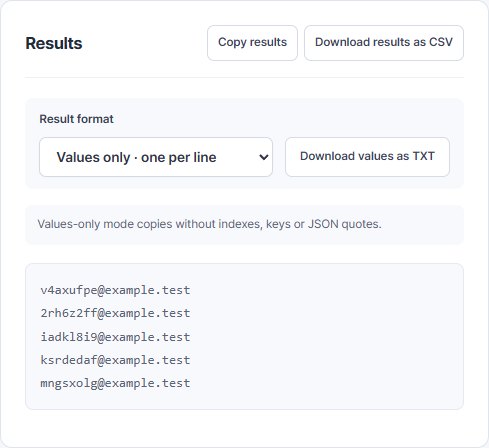
Generate emails, numbers and dates with your own settings. Copy values for input tests.
 View result screen
  QA Workbench
Create test data and draft test cases from requirements. Copy or download the results for the tools your team already uses.
Enter values or attach requirements.
Check generated values and case drafts.
Copy or download what you need.
Actual tool screens with example data.
Generate emails, numbers and dates with your own settings. Copy values for input tests.
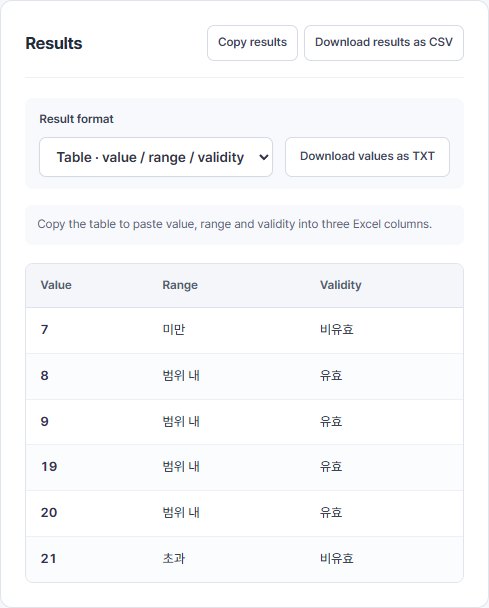
View result screen Check values around a range and their validity. Use Pairwise to organize tests with multiple factors.
 View result screen
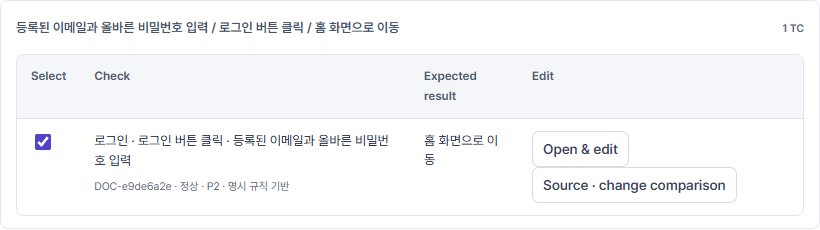
 Use a document or typed requirements to create case drafts. Review expected results before export.
 View result screen
 Tool inputs and attached documents are not sent to the app server or an external AI service.
Work is saved in this browser. You can turn saving off or delete the saved copy in settings.
QA Workbench brings data generation and case preparation into one place. Fictional specifications and example inputs are used to check results, downloads and screen behavior.